
PURGE Plus 1.5.0 - Release Notes
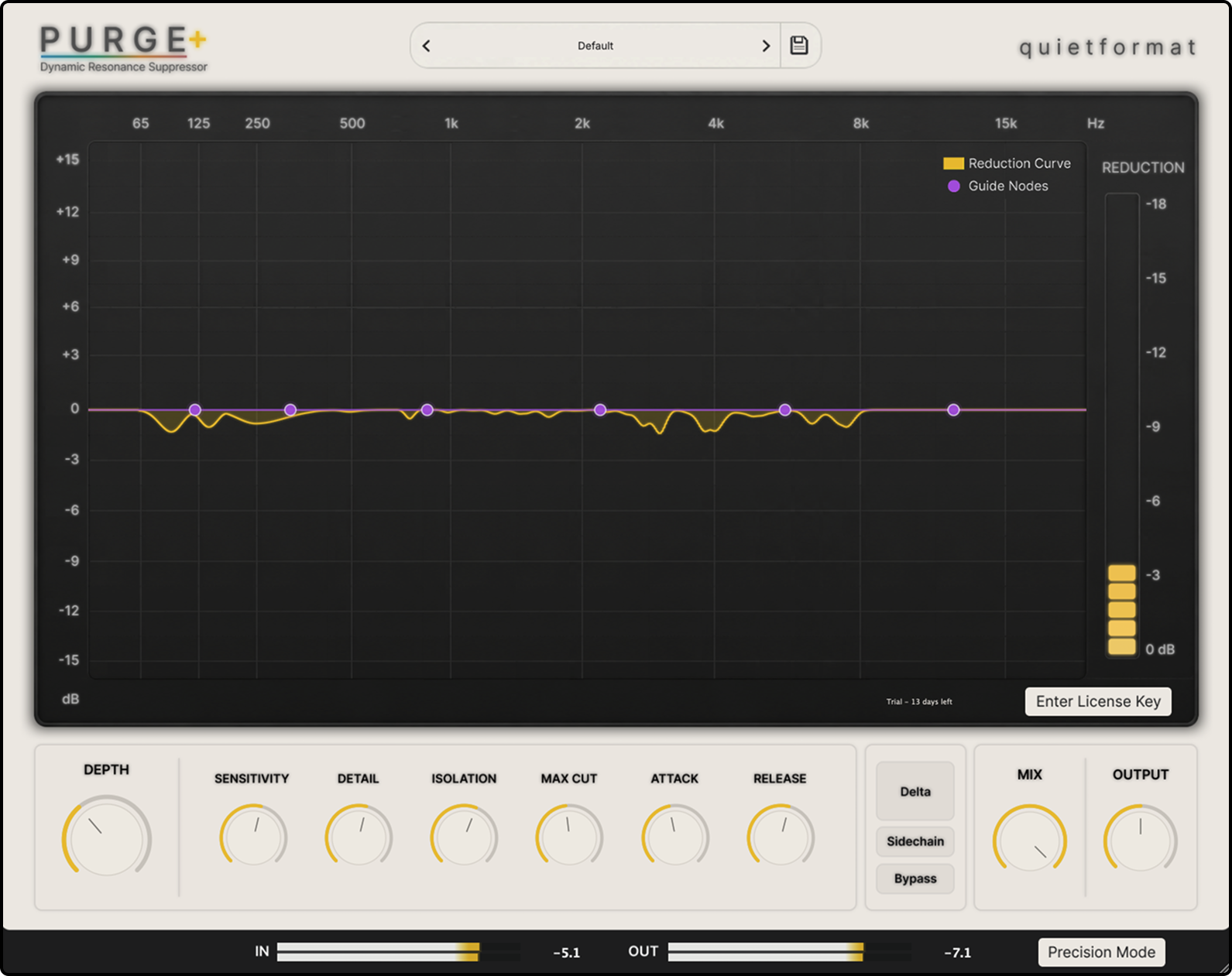
Major Rebuild Update
PURGE Plus 1.5.0 is not a simple improvement update. It is a major rebuild that redesigns the plugin’s core detection behavior, suppression algorithm, response character, and overall workflow.
While the previous version of PURGE Plus was closer to a Resonance Control Tool that reduced certain resonances based on the user’s settings, version 1.5.0 has been rebuilt as a Dynamic Resonance Suppressor that analyzes the movement of the incoming signal in real time, detects resonances that unnaturally stand out inside the music, and controls them smoothly only when needed.
With this update, PURGE Plus has become more natural, more musical, and much faster to use in real mixing situations.
Core Algorithm Redesign
The resonance detection and suppression algorithms have been significantly changed in PURGE Plus 1.5.0.
The new system analyzes the surrounding frequency balance and spectral movement in much greater detail than before. Instead of treating a frequency as problematic simply because it is loud, PURGE Plus now detects resonance candidates that protrude unnaturally when compared to the surrounding bands.
This allows musical elements such as vocal presence, piano body, guitar core tone, and intended synth brightness to be preserved more effectively, while harshness, ringing, fizz, sibilance, and boxy buildup can be reduced in a more natural way.
New Detection System
The detector system for identifying resonances has been extensively revised in version 1.5.0.
It now responds more steadily to changes in the input signal and tracks a wider range of problems more consistently, including sharp transient peaks, sustained ringing, narrow-band fizz, low-mid boxiness, vocal harshness, and cymbal harshness.
The new detection system is no longer based on a simple peak-detection style behavior. It has been redesigned to judge problematic resonances based on their relationship with the surrounding spectrum.
As a result, PURGE Plus reacts more precisely to the resonances that actually need attention, while reducing the feeling of unnecessarily cutting a wide frequency range.
More Musical Suppression Behavior
The way PURGE Plus reduces resonances has also been greatly improved in version 1.5.0.
Suppression now feels smoother and more natural than before, with a stronger focus on avoiding thinness or pushing the source too far back, even when the processing is used more strongly.
This is especially useful on sources where the original tone and the problematic resonance are close together, such as vocals, piano, guitar, and synths.
The goal of a good setting is not to make the sound feel heavily reduced. The goal is for the annoying part to step back while the original source still feels intact.
Change in Plugin Character
PURGE Plus 1.5.0 has shifted much more toward a real mixing-focused character.
The previous version was closer to a tool that strongly controlled specific resonances. Version 1.5.0 is tuned to preserve the musical flow of the source as much as possible while cleaning only the resonances that feel problematic.
Because of this, PURGE Plus can now be used more naturally across a wider range of sources, including vocals, drums, bass, guitars, keys, synths, mix bus, and mastering.
It is also easier to use not only for solving specific problems on individual tracks, but also for smoothing overall harshness and rough texture across a larger part of a mix.
Improved Tone Preservation
Tone preservation has been significantly improved in version 1.5.0.
The balance between detection and suppression has been redesigned so that vocal presence, instrument body, guitar midrange character, and synth brightness are not removed too aggressively while resonances are being reduced.
Version 1.5.0 aims for a more natural result in situations such as:
- Reducing vocal sibilance and harshness while keeping presence
- Reducing piano ringing while preserving body
- Reducing guitar amp fizz while keeping the core tone
- Reducing harsh cymbal energy while preserving air
- Controlling bass boom while keeping low-end weight
- Reducing sharp synth resonance while preserving intended brightness
Guide Node Improvements
Guide Nodes define which frequency areas the PURGE Plus detector should pay more attention to.
In version 1.5.0, the behavior of Guide Nodes has been improved to better fit a practical mixing workflow.
Guide Nodes do not directly boost or cut the sound like a normal EQ. Instead, they adjust the focus of the detector. For example, if a vocal feels harsh around 5 kHz, placing a Guide Node in that area can make PURGE Plus react more sensitively to resonances around that region.
In this update, Guide Nodes are more naturally integrated with the overall suppression behavior, making it easier to point PURGE Plus toward specific problem areas and get intuitive results faster.
Delta Monitoring Added
Delta Monitoring lets you listen only to the signal that PURGE Plus is reducing.
In version 1.5.0, Delta Monitoring has been added so users can clearly hear what is being removed.
This allows you to make settings by listening directly to the resonances being reduced, rather than guessing only from a visual graph.
It is useful for checking whether PURGE Plus is actually reducing the problematic parts of the source, such as vocal sibilance, cymbal harshness, piano ringing, guitar fizz, or bass boom.
Precision Mode / Live Mode
PURGE Plus 1.5.0 includes two processing modes.
Precision Mode
Precision Mode is designed for mixing and mastering.
It uses lookahead processing for more stable resonance tracking, making it suitable for detailed cleanup on vocals, piano, guitar, synths, mix bus, and mastering chains.
Precision Mode is recommended when you need a smoother and more stable response.
Live Mode
Live Mode is designed for situations where low latency is important, such as recording, monitoring, and live performance.
It runs without lookahead and prioritizes real-time response and fast reaction.
Live Mode is useful for live input, real-time monitoring, and situations where immediate response matters.
72 Factory Presets Added
PURGE Plus 1.5.0 includes 72 factory presets.
The presets are designed to help users start quickly in real mixing situations, with categories including:
- Utility
- Vocals
- Drums
- Bass
- Guitar
- Keys
- Synth
- Mix Bus
- Mastering
- Sound Design
Each preset is designed as a starting point for quickly approaching a problem area, rather than as a fixed final setting.
After choosing a preset, users can adjust Depth, Sensitivity, Isolation, Guide Nodes, Attack, and Release to match the source material.
Improved Response Across Different Sources
Version 1.5.0 has been adjusted to work across a wider range of mixing situations, rather than being optimized only for a specific type of source.
Vocals
Improved for more natural control of vocal harshness, sibilance, nasal tone, and boxy resonance.
Drums
Useful for taming snare ring, cymbal harshness, brittle overheads, and room mic boxiness.
Bass
Can be used to control low-end boom, low-mid mud, 808 resonance, and uneven bass notes.
Guitar
Useful for acoustic guitar body boom, pick edge, electric guitar amp fizz, and palm mute resonance.
Keys
Can smooth piano ringing, hammer attack, EP bell tone, Wurly bite, and pluck attack.
Synth
Useful for controlling filter resonance, digital edge, supersaw harshness, pad resonance, lead resonance, and arp resonance.
Mix Bus / Mastering
Can be used to transparently clean up resonances that stand out across a full mix or mastering chain.
Windows Multi-Instance Stability Improved
The Windows-related multi-instance issue mentioned in the previous 1.0.1 release notes has been addressed in version 1.5.0.
In earlier versions, we received reports that in some Windows environments, loading more than one instance of PURGE Plus could cause the DAW to become unresponsive.
This specific multi-instance issue has been addressed in version 1.5.0, and stability when using multiple instances on Windows has been improved.
Trial Mode
PURGE Plus continues to include a fully featured 14-day trial.
Trial Mode lets users test the main features of PURGE Plus without functional limitations before purchasing.
Because PURGE Plus 1.5.0 is a major rebuild version, users who previously tested PURGE Plus in Trial Mode can also start a new 14-day trial for this version.
This allows both new and returning users to properly evaluate the rebuilt version in their own DAW, workflow, and system environment before purchasing.
PURGE Plus 1.0.1 - Release Notes
Improvements
- Added a fully featured 14-day trial.
Known Issue
- We have received reports that, in some Windows environments, loading more than one instance of PURGE Plus may cause the DAW to become unresponsive.
- This issue does not affect macOS.
*Windows users are strongly encouraged to download the plugin and test it in Trial Mode before purchasing.
PURGE Plus 1.0.0 - Release Notes
-